Cybersecurity
Cybersecurity is the practice of protecting computer systems, networks, and data against digital attacks. These attacks aim to access, alter, or destroy information, disrupt services, or extort money from users and organizations.
Part 1 – Cyber Threats
Key Definitions:
- Intrusion
An intrusion is any unauthorized access to a computer system or network. Intrusions are often detected by intrusion detection systems (IDS). - Malware (Malicious Software)
Malware is software designed to harm a system. It includes viruses, worms, trojans, spyware, and ransomware. - Phishing
Phishing is a social engineering attack where attackers impersonate a trusted entity (bank, company, colleague) to trick users into revealing sensitive information such as passwords or credit card numbers. - Ransomware
Ransomware is a type of malware that encrypts files and demands a ransom to restore access. - Identity Theft
Identity theft occurs when an attacker steals personal information to impersonate a victim, often to commit fraud. - Denial of Service (DoS / DDoS) Attack
A denial of service attack aims to make a system unavailable by overwhelming it with traffic. - SQL Injection
SQL injection is an attack where malicious SQL code is inserted into a database query, allowing attackers to access or modify data.
- Man-in-the-Middle (MITM) attack: an attacker secretly intercepts and possibly alters communications between two parties who believe they are communicating directly.
- Brute-force: A brute‑force attack is a method where an attacker tries every possible password or key combination until the correct one is found.
- Social engineering is the act of manipulating people into revealing confidential information or performing actions that compromise security.
- Zero-day exploit: A zero‑day exploit is an attack that takes advantage of a software vulnerability that is unknown to the vendor and has no available patch.
- DNS tunneling a technique used by cyber attackers to pass malicious traffic through the DNS protocol
- XSS attack (Cross‑Site Scripting) is a web security vulnerability where an attacker injects malicious code—usually JavaScript—into a trusted website so that it runs in the victim’s browser
Part 2 – Types of Vulnerabilities
Network Protocol Vulnerabilities
The IP address identifies the device like computers and servers. However an IP address alone is not sufficient for running network applications, as a computer can run multiple applications and services.
The network port identifies the application or service running on the computer. A TCP communication is an exchange between two applications ( a web browser running on a client computer and a web server running on a server for example),
TCP is the name of the protocol that manages the exchange.
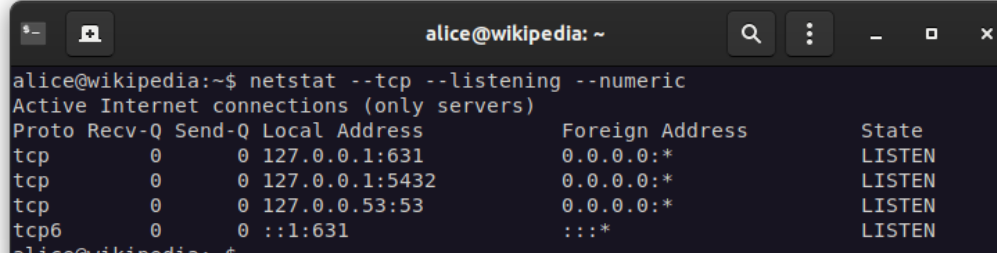
In security, the term open port is used to mean a TCP port number that is configured to accept remote communication.
Some network services expose open TCP/IP ports that can be attacked if poorly configured.
More on the web
http://www.steves-internet-guide.com/tcpip-ports-sockets/
Commonly exposed services:
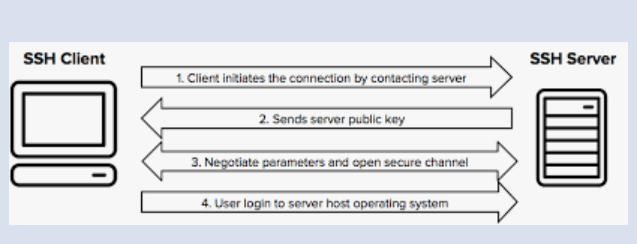
- SSH (port 22) – remote administration
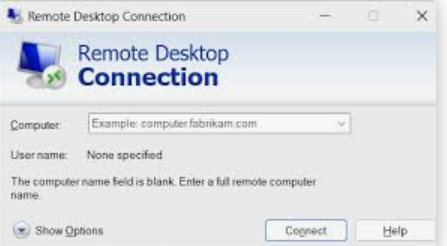
- RDP (port 3389) – remote desktop
- FTP (port 21) – file transfer

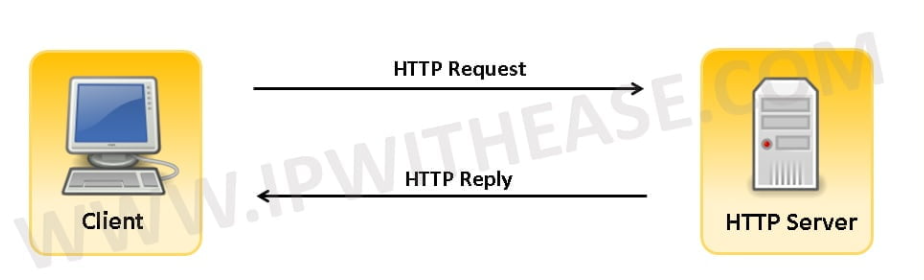
- HTTP (port 80) / HTTPS (443) – web services
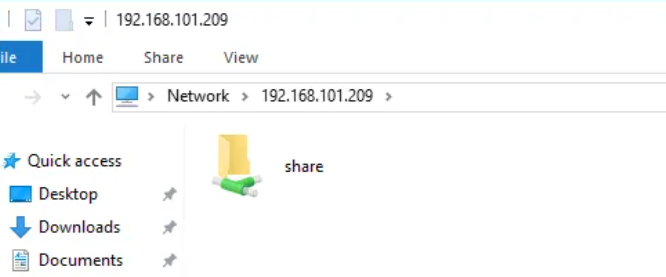
- SMB (port 445) – file sharing
Known weak or historically insecure protocols:
- FTP (credentials sent in clear text)
- SMBv1 (obsolete and insecure)
Example of a known attack
- WannaCry exploited a vulnerability in SMBv1 on Windows systems, allowing ransomware to spread automatically across networks.
2. Operating System and Software Vulnerabilities
Operating systems and applications may contain software bugs, poor access controls, or insecure features.
Common weaknesses:
- Unpatched systems
- Excessive privileges
- Memory corruption bugs
- Unsafe scripting engines
Example: Mobile OS vulnerability
- Pegasus spyware exploited zero-day vulnerabilities in iOS, sometimes without any user interaction (“zero-click” attacks).
👉 This shows the importance of OS updates and sandboxing.
Macro-enabled software
- Microsoft Office documents can contain macros (scripts).
- Attackers often send malicious Word or Excel files that execute macros to install malware.
Example attack
- Emotet malware campaigns spread via malicious Office documents with macros enabled.
3. Human Weaknesses (The Human Factor)
Humans are often the weakest link in cybersecurity.
Common bad practices:
- Clicking on unknown links or attachments
- Reusing weak passwords
- Giving credentials over the phone to a fake “bank employee”
- Installing cracked or pirated software
- Using public Wi‑Fi without protection
Example attack
- Many ransomware attacks start with a phishing email where a user clicks on a malicious link.
Part 3 – Protection Measures
1. Protecting Information Systems
Key technical protections include:
- Regular system and software updates
- Firewalls to filter network traffic
- Anti-malware and endpoint protection
- Strong authentication mechanisms
- Network segmentation
- Regular backups (offline and tested)
2. Good Security Practices
- Do not work with an administrator account for daily tasks
- Use strong and unique passwords
- Enable multi-factor authentication (MFA)
- Be cautious with email attachments and links
- Lock your computer when away
- Verify the identity of anyone requesting sensitive information
3. Security Verification and Awareness with Kali Linux (Defensive Perspective)
⚠️ Important: These tools are used only in legal and controlled environments for learning and defense.
- Checking open ports
Security professionals use tools to identify unnecessary open ports that could be exploited.
https://youtu.be/935g6vWcLfU - Password strength awareness
Wordlists such as rockyou.txt illustrate why weak passwords are dangerous and easily guessed. - RDP vulnerability testing
Tools like Hydra are used by security teams to demonstrate the risks of weak passwords on exposed services, emphasizing the need for: - Strong passwords
- Account lockout policies
- MFA
Conclusion
Cybersecurity is not only a technical issue but also a human and organizational challenge. Understanding threats, vulnerabilities, and protections helps users and professionals reduce risks and protect digital assets.
Created with the Personal Edition of HelpNDoc: Produce electronic books easily